
Choosing Music and Sound Effects to Complement Your Voiceover
Music and sound effects can elevate or bury a voiceover. Get the pairing framework, mixing hierarchy, and sourcing tips that keep the voice front and center.

A voice actor delivers a flawless read. The tone is perfect, the pacing spot-on, the emotion genuine. But when the final product airs, something feels flat. What's missing?
Music and sound effects are the invisible architecture of any audio production, and choosing the wrong ones can undermine even the most talented voiceover performance. Whether you're producing a commercial, an explainer video, a podcast intro, or an audiobook trailer, the sonic environment you build around the voice shapes how your audience feels, reacts, and remembers your message. Here's how to get it right.
Understanding the Role of Background Music in Voiceover Projects
Background music is a storytelling tool. The right track sets emotional context before the narrator says a single word. A soft piano melody signals intimacy and trust. A driving electronic beat signals innovation and urgency. Your audience processes these cues instinctively, often before they consciously register the words being spoken.
The key principle is simple: music should support the voice, never compete with it. This means selecting tracks that occupy a different frequency range than the human voice. Instrumental tracks without lyrics work best for most voiceover projects, since competing vocals create confusion and split the listener's attention.
Matching Music to Your Project's Emotional Tone
Before browsing music libraries, define the emotion you want your audience to feel. Write it down in a single sentence: "I want the listener to feel reassured and curious." This clarity saves hours of aimless searching and prevents the common mistake of choosing a track simply because it sounds good in isolation.
Consider these pairings as starting points:
Corporate explainers — light acoustic guitar or ambient pads that convey professionalism without stiffness
Healthcare and wellness — gentle piano or soft strings that build trust and calm
Tech product launches — modern synth textures with subtle rhythmic energy
Charity and nonprofit appeals — minimal, emotionally resonant compositions that leave room for the voice to carry the weight
Retail and e-commerce ads — upbeat, positive tracks with clear momentum
Selecting Sound Effects That Enhance Without Distracting
Sound effects can add dimension and realism to a voiceover production, but restraint is everything. A well-placed door closing, a crowd murmuring, or a notification chime can ground the listener in a scene. Stack too many effects together, and you've created audio clutter that buries the narrator's message.
Think of sound effects as punctuation, not decoration. A single whoosh to transition between segments. A subtle click to emphasize a key data point in a motion graphics video. A soft ambient hum to establish a setting. Each sound should serve a specific purpose, and if you can't articulate that purpose, cut it.
Layering Sound Effects with Voice and Music
When combining voice, music, and effects, establish a clear hierarchy. The voiceover sits at the top. Music provides the foundation underneath. Sound effects appear briefly in the mid-ground, adding texture without overstaying their welcome.
A practical approach is to keep your music bed at least 10 to 15 decibels below the voice track, and position sound effects somewhere in between. Always listen to the full mix on multiple devices (laptop speakers, headphones, a phone) because what sounds balanced on studio monitors can fall apart on consumer hardware.
Need a commercial voice for your next project?
RealVOTalent is a marketplace of verified human voice actors. Play demos, compare rates, and hire in minutes.
Featured Commercial Talent
View all →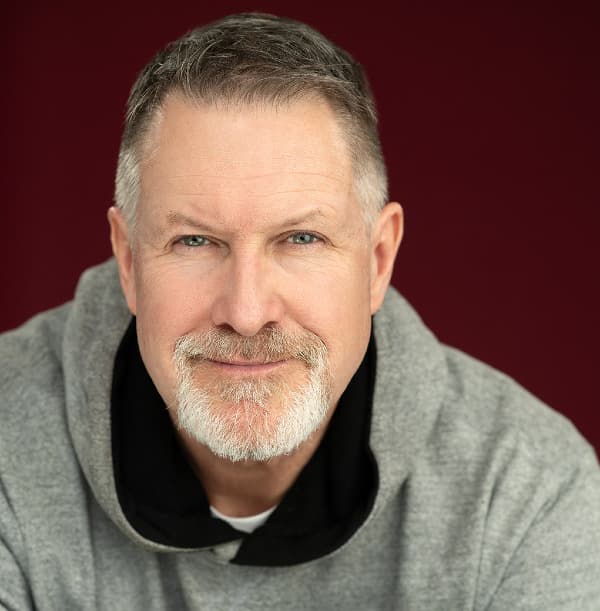
Todd has worked many of top Global Brands, including Coca-Cola, L'Oreal Paris, Cisco, Renewal by Anderson, Coast Appliances, Clam Outdoors, UNC Healthcare, Benny and Company, Shoeless Joe's and many, many more. Todd has agency representation in both Vancouver and Montreal and is also available for Non-Union projects. Todd loves what he does and he is always ready and willing to help his clients get exactly what they want and need. Todd records from his Broadcast quality Studio in Victoria, Canada with only the highest quality equipment and can usually provide Broadcast quality recordings in 24 hours.

Lauren is a prolific, full time voice talent serving a global clientele from her New York studio. She has leant her voice to thousands of projects across all niches and genres. Trusted by top brands such as Pinterest, Microsoft, Kohl’s, Nokia, Toyota and Chipotle, as well as hundreds of small businesses and starts ups, her voice has been described as warm, friendly, positive, professional, mature, encouraging, engaging, “effortlessly amazing”, “legendary”, “next level”, “perfection” and “the bomb dot com”. Clients consistently rave about her fast, friendly service, top quality audio and compelling reads that hit the mark on the first take. Lauren’s love for bringing messages to life behind the mic is matched only by her passion for performing live. She is a critically acclaimed actor & singer with over 20 years of professional training and experience performing on premier stages across North America. She is also a seasoned teacher, director, choreographer and coach as well as a proud wife and mama of twins.

Looking for a polished, professional British voice that instantly lifts your project? You've come to the right place! Most messages fall flat because the delivery lacks clarity, authority or warmth or the audio just isnt good enough. A strong script deserves a voice that makes people listen. I'm a British voice actor with a warm, trustworthy RP accent and 20 years of international broadcast journalism experience. I provide broadcast-quality audio from my professional UK studio, with a streamlined, no-hassle buying process. Perfect for commercials, corporate narration, explainer videos, eLearning, medical narration, brand films and luxury content. Fast turnaround, precise editing and a smooth, reliable workflow every time. Clients including Visa, DHL, Coca-Cola, SharkNinja, Mitchum, VistaJet and more than 2,000 happy customers trust my voice to bring their stories to life. Want your project to sound credible, confident and compelling? Get in touch!
Where to Source Music and Sound Effects Legally
Licensing matters more than most producers realize. Using copyrighted music without proper clearance can result in content takedowns, demonetization, or legal action. Fortunately, several reliable options exist for sourcing production audio legally.
Royalty-free music libraries — platforms like Artlist, Epidemic Sound, and AudioJungle offer extensive catalogs with clear commercial licenses
Creative Commons sources — sites like Free Music Archive provide tracks under various CC licenses, though you must verify the specific terms for commercial use
Custom compositions — hiring a composer gives you exclusive, perfectly tailored music, ideal for brands that want a unique sonic identity
Stock sound effect libraries — Freesound.org and professional libraries like Boom and Sound Ideas cover everything from nature ambience to UI sounds
Always read the license agreement carefully. Some royalty-free tracks restrict usage in broadcast, require attribution, or prohibit use in certain industries. A few minutes of due diligence now prevents costly problems later.
Common Mistakes That Sabotage Your Mix
Even experienced producers fall into predictable traps when pairing music and effects with voiceover. Recognizing these patterns helps you avoid them.
Choosing music you personally love instead of what serves the project. Your favorite creator on Envato might produce incredible techno music, but that doesn't mean it belongs under a corporate training narration.
Using music with a strong melodic hook that fights the narrator for attention. If you find yourself humming the music instead of absorbing the message, the track is too dominant.
Neglecting transitions. Abruptly starting or stopping music is jarring. Use fades, swells, and natural break points in the track to create smooth transitions aligned with the voice.
Over-producing with effects. When a listener notices the sound design more than the message, the balance is wrong. Subtlety wins.
Ignoring the frequency overlap between the voice and the music. If the background track has strong mid-range presence, it will mask the voice. Use EQ to carve out space in the 1kHz to 4kHz range where human speech lives.
Practical Workflow: From Voice Recording to Final Mix
A structured workflow prevents the chaos of trying to assemble all audio elements at once. Follow this sequence for consistently polished results.
Start with the voiceover. The voice is the foundation, so record and edit it first. Clean up breaths, remove mistakes, and finalize pacing before introducing any other elements. Next, audition music candidates against the finished voice track instead of in isolation. You need to hear how they interact.
Once you've selected your music, adjust its volume and apply sidechain compression or manual volume automation so it ducks slightly whenever the narrator speaks. This technique keeps the music present but never intrusive. Finally, layer in sound effects sparingly, checking each addition against the full mix.
Test With Fresh Ears
After building your mix, step away for at least an hour. When you return, listen from start to finish without touching anything. You'll immediately hear problems you missed while deep in the editing process: an effect that's too loud, a music transition that feels rushed, a moment where the voice gets lost. Fresh ears are your best quality control tool.
Start With the Voice That Deserves Great Sound Design
Music and sound effects can elevate a voiceover from good to unforgettable, but they can only enhance what's already there. The foundation of every great audio production is an authentic, skilled human voice that connects with the audience on a real level.
When you're ready to find that voice, we can connect you with experienced, professional voice actors across every style and genre — real human talent, never AI-generated. Browse our marketplace, listen to demos, and find the voice that brings your project to life. The right music will make it shine even brighter.

Written by
Trevor O'Hare
Founder, RealVOTalent
Trevor is a professional voice actor who has worked in audio for over two decades and been in the voiceover industry since 2019, completing thousands of projects for Fortune 500 companies and small businesses alike. He also coaches voice talent at VOTrainer.com.
Get voiceover industry tips & insights
Join our newsletter. No spam, unsubscribe anytime.


